[Updated March 2025 with new processor prices/links, a “new” CPU option, and a better RAID option.]
A year and a half after my original write-up of the Ivy Bridge-based HP Gen8 Microserver, I’m finally doing a last round of pre-launch updates and documenting the upgrades I made.
The Microserver Gen8 is easily found for under $200 on eBay as of 2025. And it’s still quite a capable little machine.
You can read the original write-up (as updated to December 2018) here: Warming up the HP Microserver Gen8 and PS1810-8G switch
More links at the end of this post. Pricing has been updated as of 2019-08-15, and again on 2025-03-18, but is still subject to change without notice.
Where do we start?
The HPE Microserver Gen8 as I received it had the Intel Pentium G2020T processor, a dual core, dual thread, 2.5 GHz processor with integrated Intel HD Graphics. For an ultra-low-end workgroup or SOHO server, that’s not too bad, and it’s better than the Celeron G1610T option.

Stock processor options for the HP Microserver Gen8
But since we’re not worried about the warranty and do want a bit more power, we looked at the following options for a CPU upgrade.
| Xeon Processor |
CPU speed |
C/T |
TDP |
Integrated graphics? |
eBay price/link March 2025 (
August 2019 , December 2018) |
| E3-1230 v2 |
3.30 – 3.70 |
4/8 |
69* |
No |
$20.00
(49.00, 75.00) |
| E3-1260L (v1) |
2.40 – 3.30 |
4/8 |
45 |
HD2000 |
$15-20
(34.30, 57.00) |
| E3-1265L v2 |
2.50 – 3.50 |
4/8 |
45 |
HD2500 |
$35ish
(99.00, 100.00) |
E3-1230 v2
(added 3/2025) |
3.30 – 3.70 |
4/8 |
69* |
No |
$10-15 |
- The 69W parts may require additional cooling consideration.
Since we didn’t have a use case in mind for this, we went for the E3-1265L v2 processor. CPU speed is reasonable, power is within the envelope for this system’s cooling capacity, and the price didn’t turn out too bad (although it was almost twice as much a year and a half ago).
The system arrived with 16GB of memory, which is the maximum supported with this generation of processor and a two-DIMM-slot motherboard (the CPU will handle 32GB but no more than 8GB per DIMM, and the Memphis Electronics 16GB DDR3 DIMMs require a newer generation of CPU).
The system also shipped with a single 500GB SATA drive and three empty trays for expansion, connected to the onboard B120i storage controller. There’s a low profile slot at the top suitable for an optical drive, or a hard drive carrier. According to the specs, the first two bays are 6gbit SATA and the last two bays are 3gbit SATA. You can add a P222 Smart Controller to provide battery-backed cache and expanded RAID options; these can be had for less than $25 on eBay (although a P410 for as low as $20 might be easier to implement).
I installed a 32GB Micro-SD card for OS boot. Like the previous Microservers, the Gen8 offers an internal USB port, but Gen8 adds a MicroSD slot which may be less likely to snap off during maintenance. If I were running a heavy duty Windows or Linux server on this machine, I’d probably either put an SSD on a PCIe carrier card or use the optical drive SATA connector on the board to mount a boot drive in the optical bay. But for VMware or appliance-type platforms, or for light use Linux, the MicroSD should be enough.
Bringing the Microserver Gen8 up to date
One of the first things I do when building or populating a system is to upgrade any applicable firmware on the system. This could include the lights-out management, the system BIOS itself, drive controllers, optical drives, etc.
This gets complicated with HPE gear, as they decided to restrict all but “critical” BIOS update to customers with active support contracts or warranties. There are dubious workarounds, but it’s more of a pain than for any other mainstream vendor. Luckily (and I say that sadly), some of the critical vulnerabilities around Intel microcode in the past year led to the most recent Microserver Gen8 BIOS being considered critical.
So I gathered the latest BIOS, the ILO 4 firmware for out-of-band management, and the latest firmware for the PS1810-8G switch that this system will be connected to. (Unlike the computer systems, HPE’s networking gear carries a lifetime limited warranty and free access to firmware updates.)
With the switch connected to our upstream POE switch and the Microserver’s three network ports (two gigabit LAN, one ILO) connected to the switch, I upgraded the firmware on all three components and installed CentOS 7 from the latest ISO image via external USB flash drive. Additionally, I got a free 60-day trial license for ILO 4 Advanced from HPE.
 One quirk I ran into was with regard to the .NET-based remote console and Chrome browser. In short, it doesn’t work unless you install a plugin to handle the .NET launching. I didn’t want to bother with Java either, so I accessed ILO from Microsoft Edge and used the .NET option from there.
Where do we go from here?
In the near term, I’m planning to install the Aquantia AQN-107 10GBase-T/NBase-T adapter and use it to test a couple of new devices in the home lab. Linux with iPerf or the like should be a good endpoint, and with a Thunderbolt 3-to-NBase-T adapter and an economical NBase-T/10G switch to work with, it should be compact and functional.
Longer term, with the former VMware “$25 server” being converted to EdgeLinux (from the makers of the Antsle servers we wrote about here and here), I will probably have this box serve as my in-home vSphere / ESXi system.
There’s a very small chance that I’ll break down and get the new Gen10 machine, but with as many spare computers as I have in the home lab now, it’s not a high priority.
What have you done with your Microserver recently? Share in the comments, or join the conversation on Facebook or Twitter.
For more information on the Microserver Gen 8 (especially around expandability):
HomeServerShow.com has an exhaustive page on Gen8 upgrades and other features and functions.
ServeTheHome has their release-time update on the Gen8 system here: HP ProLiant Microserver Gen8 Updated Specs and Pricing
And if you want the latest and greatest, the Microserver Gen10 came out a year ago with AMD Opteron X3000 processors.

 Eight years ago today, inspired in part by Stephen Foskett and the Tech Field Day crew, I started what was probably my third attempt at blogging. Two weeks later I wrote a post loosely based on Tech Field Day 5 (which I attended a small part of–mostly the party), and a happy post about getting a 48 port 3COM switch and going back to Windows XP to upgrade its firmware.
 As you may know, I branched out into the royal plural on the travel blog just over two years ago; rsts11travel still hasn’t found a better name, and I haven’t gone Sinclair on rsts11 itself either.
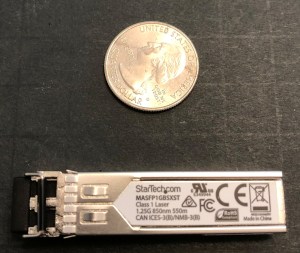 WHAT ARE OPTICAL MODULES?
 rsts11 - Robert Novak on system administration