Revisiting Fry’s Electronics a year later

A little over a year ago, I wrote about the decline of Fry’s Electronics. I have to admit that I didn’t expect the pandemic and its related impact, but I didn’t expect Fry’s to continue on its steady coasting path.

I figured they would either rebound over the holidays or fade into history. As you may recall from the updates, they did not make any visible advances over the holidays, dropping the ball on Black Friday/Cyber Monday, but they didn’t disappear altogether.

This weekend I went back to the Sunnyvale Fry’s store, the one I’ve probably been to more than any other. I think this was the first time at least since February, if not before, that I’ve been to a Fry’s store.

I was a bit surprised.

Fry’s Sunnyvale parking lot, November 1, 2020

The shopping cart corrals were empty, but the parking lot had a couple dozen cars. When I walked in, there were a few people around, and I saw a couple of employees. One was working in the repair shop, and two were behind the register counters where one register was open. There was no register line.
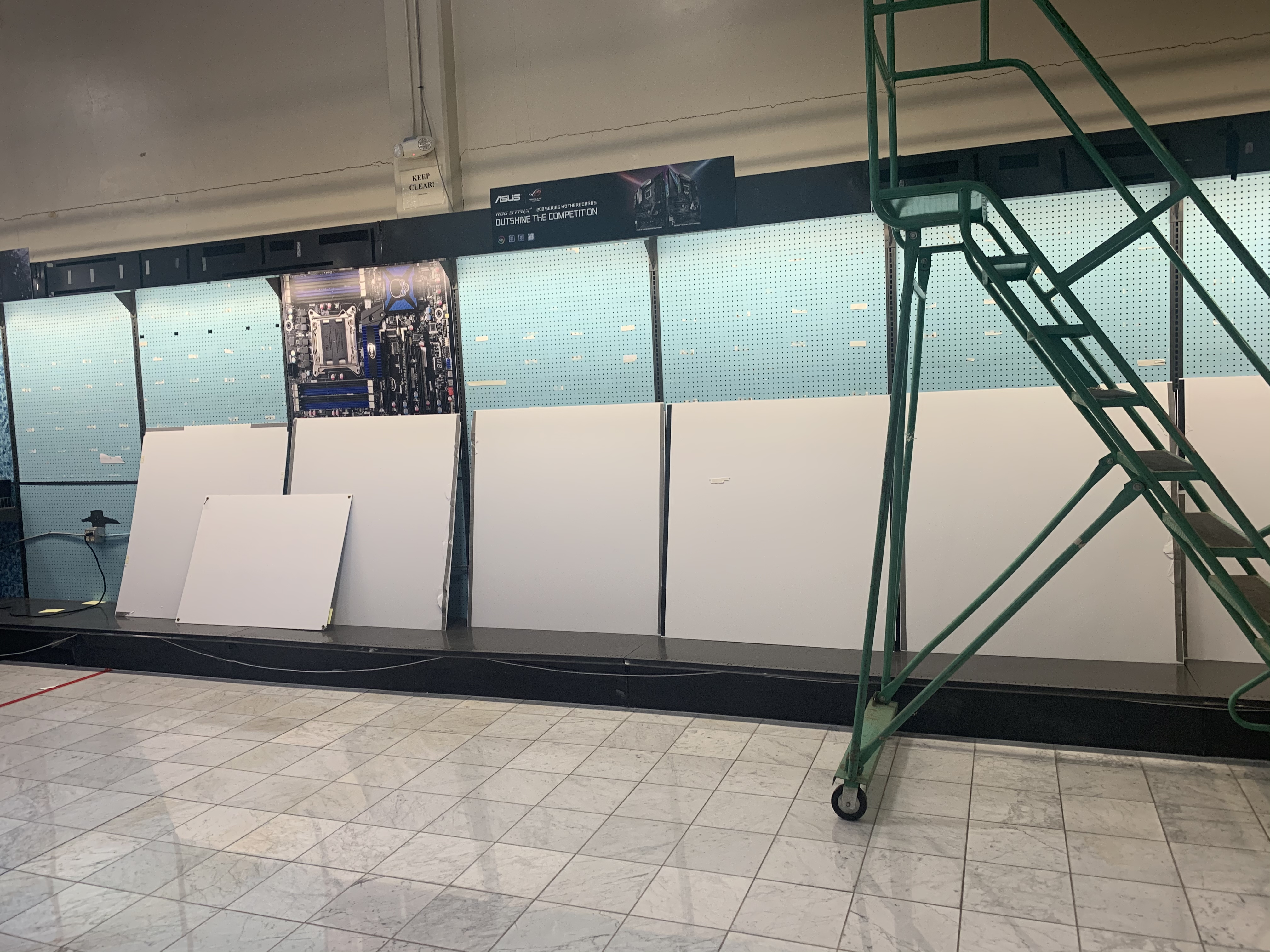
Motherboard display, Fry’s Sunnyvale, November 1, 2020

As I made my way to the flash memory section looking for some MicroSDXC cards for my new Jetson Nano development kit, I was surprised to find the motherboard display disassembled altogether. Last time I was there, they had one motherboard in stock, with five pieces on the shelves that used to be here. This time, I saw absolutely no motherboards.

They did have a modest assortment of SD/MicroSD cards, some even priced on the shelf, and a couple of adapters for reading them on PCs. I believe there was one brand name card, a 64GB Samsung EVO of some sort, and a lot of fringe brands (including the Hyundai cards which actually work pretty well).
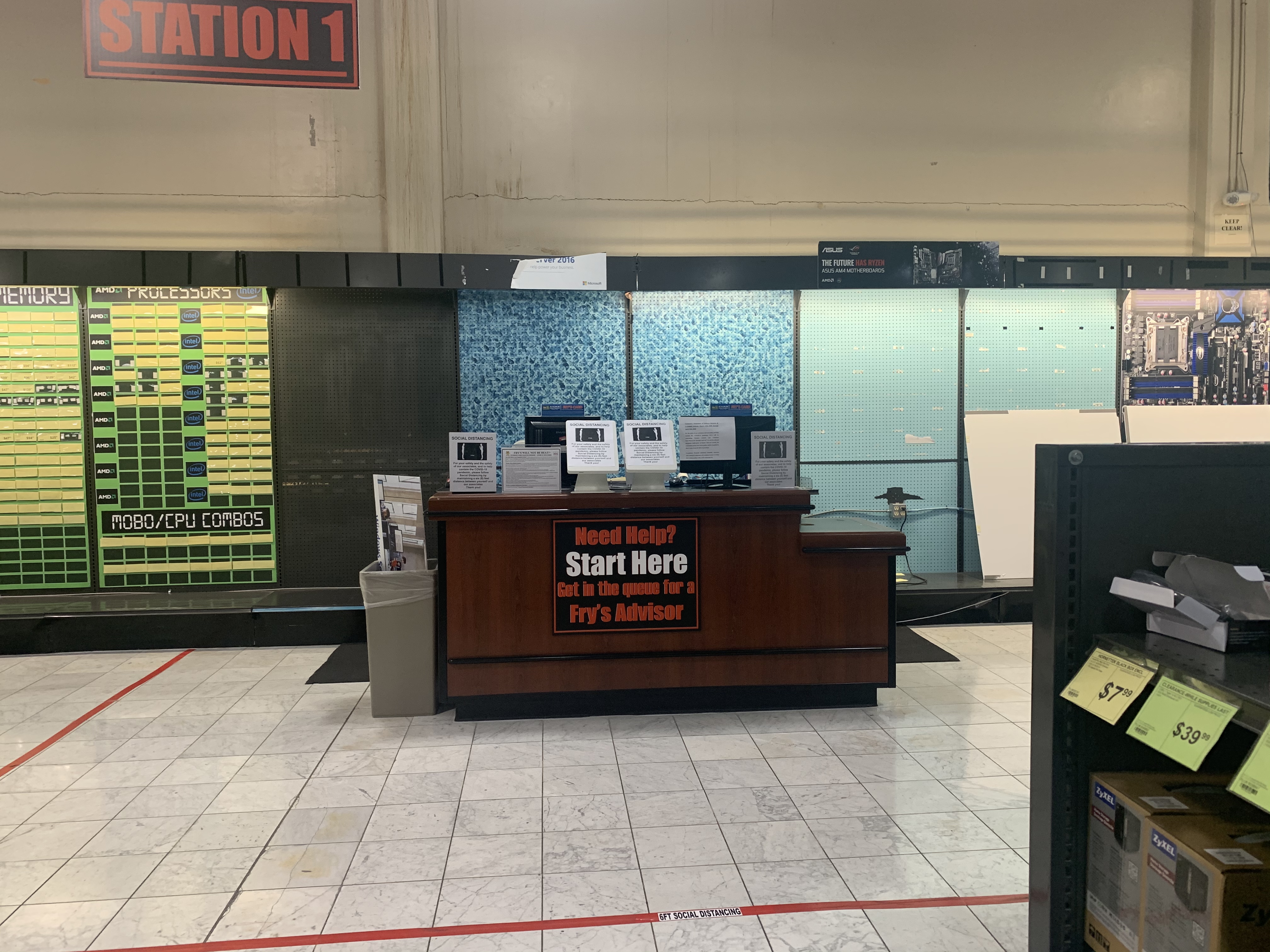
Computer component station

The stations where you would normally go to talk to a sales associate or get an invoice and/or price match were marked for social distancing, and abandoned. I saw this in components, computers/printers/monitors, and the television section. I will admit I’d feel guilty price-matching at this point, but it seems like it would be a challenge to get help if you needed it. The only employees I saw were re-shelving things near what used to be the computer section.

I didn’t get photos of a lot of the store. There was one desktop and a couple of semi-offbrand laptops in the computer section (on the former Apple islands), and the remainder of the computer display was limited to a couple of monitors and a few open box PC cases (moved from the far end of the store apparently). Car Electronics has been pretty much decimated, along with the bedding and exercise gear displays.

3D printer filament display

A couple of positive surprises were visible though. There was a healthy display of printer filament for your 3D printing needs (pictured above). I’ve bought almost all of my filament from Central Computer, but I would consider trying some of the colors from eSUN here before ordering online.

I also found the “maker” / Raspberry Pi accessory section, also in the aisles where electronic components used to be (and some still are). There was an abundant selection of cheap 120 and 240 gigabyte SSDs, for prices similar to what I’ve paid for used drives on eBay, so I may go back for some of those when my next Rabbit door comes in. It looked like memory and CPUs were in short supply, but there were reasonable (think Best Buy level) stocks of USB flash drives and SD cards.

The one thing Fry’s seems to have outdone themselves on is personal protective equipment (PPE). The front aisle adjacent to the checkout line was half PPE (several varieties of hand sanitizer, including gallon jugs, as well as masks and protective clothing). So if I run out of what I’ve picked up at Marshalls or TJ Maxx, I could probably stock up here.

Where do we go from here?

It’s hard to tell whether Fry’s will improve their rather stagnant effort to convert to consignment models with their vendors. A few stores (including Palo Alto and Anaheim, as well as one in Georgia) have closed, and it looks like the others haven’t improved much in the past year (based on my observation and some social media posts friends have shared with me from other stores).

At this point, for some limited categories, they are a viable option. With the stores being rearranged, you may have trouble finding a “Fry’s Advisor” or the new location for the products you’re looking for, but they have improved on a couple of categories.

I’ll keep you posted on what I hear – watch for updates here if they happen.

See last year’s Fry’s post here — History of Silicon Valley Indeed; is Fry’s Electronics Dying?

And pour one out for Billy, the Fry’s Electronics social media guy. He takes a lot of flak from people wanting to rag on the store, but stays coherent and professional through it all.

Rabbit Reorganization: Building low power clusters from a rabb.it door

As you saw in my 3D Printing series, after years of pondering a 3D printer, I was finally inspired to buy one when a pile of clusters came up on eBay from the defunct rabb.it video streaming service.

In this series, I’ll take you through turning a rabbit door into some useful computing resources. You can do something similar even after the clusters are sold out; a lot of people have probably bought the clusters and ended up not using them, or you can adjust the plans here to other models.

Part 2 is out: Rabbit Launch: Loading up the NUC cluster with a usable operating system (but read this one first).

The first thing I will put out there is that these are not latest-and-greatest state-of-the-art computers. If you’re looking for a production environment or DDR4 high density memory, keep looking. But if you want an inexpensive modular cluster that’s only about 5 years out of date, there’s hope for you in here.

Update – As of December 2021, I’ve updated some of the links and prices, and updated the description to show that the door clusters have been sold out for some time.

The original cluster

eBay seller “tryc2” has several hundred of these “door clusters” from rabb.it, a now-defunct video streaming service that closed up shop in mid-2019. I call it a “door cluster” as the 42 inch by 17 inch metal plate resembles a door, and gives you an idea of the ease of manipulating and fitting the environment into your home/homelab as it is delivered.

The cluster bundle would have set you back US$300, plus tax where applicable. The seller seems to have had a thousand or so and they were sold out by late 2020. [Updated 2021]

The cluster includes 10 Intel NUC quad-core boards (mine were NUC5PPYB quad-core Pentium; my friend Stephen Foskett got some that were newer NUC6CAYB Celeron boards which took more RAM). These boards feature one DDR3L SODIMM slot (max of 8GB), one SATA port with a non-standard power connector (more on this later), Gigabit Ethernet, HDMI out with a headless adapter (to fool the computer into activating the GPU despite no monitor being connected), four USB ports, and a tiny m.2 slot originally intended for wireless adapters.

In the center of the “door” are five NVIDIA Jetson TK1 boards. These were NVIDIA’s first low-end foray into GPU development, sold to let individuals try out machine learning and GPU computing. There are much newer units, including the Jetson Nano (whose 2GB version is coming this month), if you really want modern AI and GPU testing gear, but these are reasonably capable machines that will run Ubuntu 14 or 16 quite readily. You get 2GB of RAM and a 32GB onboard eMMC module, plus a SATA port and an SD slot as well as gigabit Ethernet.

The infrastructure for each cluster includes a quality Meanwell power supply, a distribution board assembly I haven’t unpacked yet, two automotive-style fuse blocks with power cords going to the 15 computers, and a 16 port Netgear unmanaged Gigabit Ethernet switch. With some modifications, you can run this entire cluster off one power cord and one network cord.

What’s missing?

So there is a catch to a $300 15-node cluster. The Jetson nodes are component complete, meaning they have RAM and storage. However, the NUCs are barebones, and you’ll need some form of storage and some RAM.

For the Jetson nodes, you’ll need an older Ubuntu machine and the NVIDIA Jetpack software loader. For the installation host, Ubuntu 14.04 is supported, 16.x should work, and later versions are at your own risk. You’ll also need an Ethernet connection to a network shared with your Ubuntu machine, as well as a MicroUSB connection between your Ubuntu host and the Jetson, to load the official software bundle.

For the NUCs, you’re looking at needing to add a SODIMM and some form of storage to each. I bought a bunch of 8GB SODIMMs on eBay ($28.50 each) to max out the boards. For storage, I tried USB flash drives and 16GB SD cards and had OS issues with both, so I bought the MicroSATACables NUC internal harness for each board, along with Toshiba Q Pro 128GB SATA III SSDs (these are sold out, but there’s a Samsung SM841N currently available in bulk for the same price, about $25 each).

If you do get a cluster bundle with the two-memory-slot NUC boards, you have two options beyond the above. The easy and documented option is to look for 4GB SODIMMs instead of 8GB; you may save a buck or two, or if you’re like me, you may have a box of 4GB SODIMMs from various upgrades and not have to buy anything. The other option is to update your BIOS on the NUC and try out 2x 8GB. For some uses, 16GB will be worth the cost (vSphere or other virtualization clusters). I’d suggest going with a known quantity to update the BIOS to the latest version, and then trying 2x 8GB.

One other thing you may need is a pack of spare fuses. I know they do their job, as I blew a few of them while plugging and unplugging the boards. But you may wish to have a few extras around. They’re the standard 3 amp “mini blade” fuse that can be found at auto parts stores (although my local shops tended to have one card of them, if that, on the shelf). You can also buy a 10 pack for $6.25 (Bussmann brand) , a 25 pack for about the same price (Baomain brand) or a 100 pack (Kodobo brand) for about $9.

Choose your own adventure

There are two paths to take once you have your gear collected and connected.

  1. How do we lay out the gear?
  2. What do we do with it?

I’ll look at my journey on both paths in upcoming episodes of this series. Spoiler: I’ve 3d-printed stacking plates for both the NUCs and the Jetsons, and am still working on how to mount the remaining pieces so I can e-waste the door piece. And as I write part 1, I still haven’t figured out what to do with the clusters.

Where do we go from here?

If you’ve bought one of these clusters (or more than one), feel free to chime in on the comment section and let me know what you’ve done with it. And stay tuned to this post (or @rsts11 on Twitter or Facebook) for updates on the next installments.

When is a crowdfunding project a scam, vs a normal project run by humans?

There’s a new wave of crowdfunding efforts in the last year or so, changing the dynamic in a sense. There are some reasons to be concerned about pitfalls in your crowdfunding adventure, but other reasons not to be.

Let’s take a look.

Disclosure: While I have backed over 90 crowdfunded projects across platforms (not including projects that did not “finish” and thus took none of my money) in the past 10 years, and I have had professional relationships with two of the companies mentioned here (VAVA and ZMI), nothing in this post has been reviewed or approved or otherwise influenced by them or any other company or entity. For the crowdfunding projects, they took my money like everyone else’s, and delivered the products like everyone else’s.

A not-so-brief history of crowdfunding

It used to be that a designer or developer or artist would come up with an idea they couldn’t get commercially adopted, post a crowd-funded campaign on Indiegogo or Kickstarter, and hope to make enough money to produce it on their own. This led to some amazing projects and companies.

i

Treat, no trick: Free VMware premium training for a year if you sign up by Halloween!

My friend Christopher posted about a 6 month promo for the VMware Learning Zone that was being extended soon. As I’m looking to rebuild some of my VMware expertise (I was a vExpert for several years, but fell out of the program a couple of years ago), I figured I’d give the promo a try.

It turns out that, with the newest link, you can get a 12 month subscription to the “VMware Customer Connect Learning Premium Package” free. It includes the Basic Subscription, exam prep materials for VCP and VCAP (and possibly others), and the VMware Certified Technical Associate content (for the new entry level VMware certification).

You can find the details and “purchase” the free offer at this VMware Learning link. But do it by October 31, 2020.

Note that the VMware Learning portal has a different authentication system/login credentials from the MyVMware portal, the Flings site, or the VMUG site. Or as Christopher said, paraphrasing my gripe:

So while you may have your email in their system in various places, you will probably have to activate your learning portal account if you haven’t had official VMware learning programs before.

The enrollment deadline is October 31, 2020, and will run for a full year once you sign up.

But wait, there’s more

If you don’t already have a subscription to VMUG Advantage, it’s worth looking into. While general VMUG membership is free, the Advantage tier is similar to the old VMware Technology Network (VMTN) which provided home lab/training licenses for VMware products for a relatively small price (currently $200 before discounts).

The evaluation licenses are included under what’s now called EVALExperience. You can get 15 or more VMware products including vCenter/vSphere, NSX, vSAN, Fusion, Workstation, and more, for 365 days per subscription. You also get 20% off VMware training and exams, 35% off VMware Lab Connect, and the only stackable discount on real-world VMworld tickets.

The VMUG site currently has a popup with the discount code ADVNOW which will take 10% ($20) off. Earlier in the year, William Lam negotiated a 15% discount “group buy” which is probably the highest discount I’ve ever seen – 10% codes are available anytime there’s a VMUG UserCon or virtual event, and often even when there isn’t one.

You might check with your employer to see if they will reimburse you for this option, or if you work for a larger VMware customer you might have other license options internally, but if you’re working your way up outside the scope of your current job, VMUG Advantage with the EVALexperience is a great option. It might even get you headed in the direction of vExpert status (which also gets you those licenses, and a whole lot more, in recognition of your giving back to the community).

Money Pit: A quick sidebar on my 3D printing (mis-)adventure

You’ve seen the first two parts of my 3D printing series, and I promised part three in the near future.

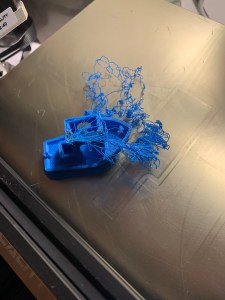
I decided to postpone the third part a little bit, in order to share a cautionary tale and some printer gore with you. I’m hoping this will be a one-time error, but if you’re like me, you might not think it’s so bad until it shuts down your printing operation for a week or two and potentially costs you $30+ in replacement parts.

First, the gore

Second, the TLDR

(tl;dr means too long;didn’t read. However, I hope you’ll read on.)

Continue reading