rsts11: Laptop memory – above and beyond!

Ever buy a spiffy new laptop, and then a few months later see that everyone else is buying laptops that take TWICE as much RAM as yours? Too late for buyer’s remorse or a return… but you can’t justify another thousand dollars for another new laptop?

I’ve been in that position twice… once with a laptop I’ve had for 4 years now, and one that’s coming up on 1 year.

UPDATE: I just remembered a third time when I managed a lucky super-upgrade to a laptop… that’s added now.

Inspiron 8200 with 2GB RAM. Pretty good for 2002 tech!
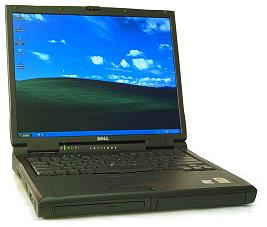
Back in 2001 or so I bought a Dell Inspiron 8200. This was a Pentium 4 Mobile based machine of the same design as the Latitude C840, about with a 1600×1200 15″ lcd, the C-series batteries (one dedicated battery bay, one battery/optical/zip/floppy/hard disk bay), one fixed (but upgradable) optical bay on the side, and a maximum of 1GB RAM. Or so I thought. Now to be honest, I sold the 8200 back in 2003, but later restocked with a short stack of Latitude C840s, which were the business spin of the same machine.

Recently when pulling one of my C840s out, I thought “I have some 1GB DDR SODIMMs. Why not try?” Turns out, while it takes longer to POST now, the C840 readily supports 2x1GB PC2700/PC3200 DIMMs for a total of 2GB RAM. You may find these sticks on close-out at consumer electronics stores… I bought out the closeout stock at 2-3 local Best Buy stores last fall.

The 8200 is still a very viable UNIX laptop, and runs XP or Windows 7 respectably if you keep it clean (I wouldn’t put Creative Suite or Mathematica on it). The docks, including one with a PCI slot, are easily available online, and while you might not want to carry it on trips with you, it’s very convenient for basic computing needs even 10 years later.

Latitude D830 with 8GB RAM? Yup.


I bought a Dell Latitude D830 with a corporate discount two jobs ago. It was as close to top-of-the-line as I could get with all the features I wanted. I’m a screen real estate addict… yes, I’m looking down my nose at your 1920×1080 display, over the top of my 1920×1200 display. Sure, it’s only 12% difference but it matters to me. I think this D830 had the second highest speed Core 2 Duo mobile chip available at the time, dedicated 256MB or 512MB video card, DVD burner, and 1920×1200 display. Three years of Complete Care and corporate-grade in-house service contract, which ended up helping at one point when the power subsystem started failing to charge, and one of my favorite features of some Dell and one Apple model–hot-pluggable modular bay batteries.

Power To The People!

My Powerbook “Pismo” had the option for two batteries, and if both batteries died and you had a third with a charge, you could close your lid, the computer would sleep, you could put another battery in and open it up and keep going. So of course I had three or four batteries. Dell has had a couple of models that supported modular bay batteries, from the Latitude C840/Inspiron 8200 (and I believe earlier C800/820 and I8000/8100) to the D800/830 line. Excellent feature, since I’m more likely to have use for an extra 2-2.5 hrs of battery life than a dvd burner on trips and in meetings/conferences. 

I bought the D830 with 2GB of RAM, knowing I could upgrade to 4GB more cheaply through Amazon or Fry’s or Crucial, than buying it pre-installed from Dell. So I did so, and bumped the hard drive up aftermarket as well.

Within less than a year came the Latitude E-series, very sleek, brushed metal case, and 8GB max RAM. I found threads like this one suggesting that BIOS rev A14 would support 4GB dimms.

The 5300, 6400, and 6500 as I recall all supported 8GB RAM on the same Core 2 Duo chips and chipsets, but when I asked my Dell rep about 8GB on my D830, he said “no dice.” So I quietly ordered the appropriate Dell part anyway, and when it arrived, I updated my BIOS and installed it. It worked, of course. I ordered another stick, and have been rocking 8GB in my D830 (with a variety of disk choices) for the last 3 1/2 years.

Sony VPCF22KFX/B with 16GB of RAM? Whoa!
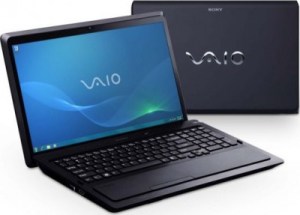
Fast forward to last summer. I changed jobs, got a vacation payout, and found a Sony Vaio VPCF22KFX/B laptop on near-closeout sale at Fry’s. You can still find it at the preceding link for about $1k from Amazon (and if you buy it through my link I’ll be grateful of course), but I paid about $800 for it as memory serves. It came with a 500gb 5400rpm disk, 4GB of RAM, and the i7-2630QM processor — 4 cores, 8 threads, turbo, hyper threading, the typical power features. I bumped it up to 8GB of Patriot RAM, and a 500GB Momentus XT hard drive (500GB spinning disk with 4GB of SLC flash memory in front of it). It’s been working okay for me for the most part, but I started getting random BSODs, and in one night last week I found myself meeting over half a dozen STOP codes I’d never seen before, and a couple I had.

I did not want to believe that the laptop itself was dying, even though I have another 2 months of warranty left. So I pulled the memory and went back to the original Samsung 2GB sticks that came with it. Still got a crash every 3-5 minutes. Pulled the disk and put the original disk in, and other than having 100+ Windows Updates to execute, it worked fine. In fact, it survived three rounds of Windows Updates and three rounds of Vaio Updates. So I put the 8GB kit back in, and it was happy still.

But then I got to thinking… I’ve seen some Sandy Bridge laptops listed with 16GB, and Simon Gallagher (of vTARDIS fame) mentioned 16GB in his Macbook Pro last December. I’ve been waiting for the new Air-y Macbooks to come out hoping for 16GB capacity and a 1920px widescreen, but they’re not out yet and I was impatient. Saw a $110 16GB kit from Corsair, the CMSO16GX3M2A1333C9 to be precise, in the weekly Fry’s ad. It’s also $110 from Amazon but I hadn’t been in to Fry’s in almost 24 hours, so… I picked it up, brought it home, went to the little one’s Glee recital, and came home for a nap. After dinner, I started in on the upgrade project, slow and steady.

First step was a single 8GB dimm. I know the machine works with 8GB total, but will it handle a single 8GB dimm? Yup.

Next step, 8GB plus 4GB. Little bit risky, as the 4GB is slower than the 8GB and is the second stick. But it seemed okay with that. So, next step is obvious.

Yeah, I was thirsty. And Coca Cola has not paid me for their mention here, although if they wanted to send me a fully stocked vending machine for my store, I wouldn’t turn it down.

There we go. 16GB RAM, and it seems to be running pretty stably.

I still need to find the issue with the Momentus XT, and figure out a better disk option for this machine. I have some 60GB Pyro SSDs but I haven’t quite gotten the hang of a small internal disk on a laptop yet. So I may shell out for a 120GB SSD with rebate, or just bump up to a 500 or 640 GB 7200 spinning disk. The D830 is working well with a 640GB Caviar Blue drive, and I have a 48GB ExpressCard that I could use for high performance supplemental storage.

rsts11: Building my compact VMware server at home

About a year ago I bought a homebuilt Intel Core i7 (1st generation) desktop from a friend to run VMware ESXi on. He had gone to the trouble of assembling the system with a beautiful Gigabyte motherboard, and getting 4.1 to run on it, and I got a good deal on the system with 6GB of RAM and a 2TB hard drive.

I upgraded to 12GB, then to 24GB, but never put it into use.

Two months ago, I started it up and ran some computationally intensive software on it and discovered it was munching 320W. And it’s a mid-tower size case. Somewhat unwieldy for an apartment with a few other computers already running, and a significant other who doesn’t appreciate a living room that resembles a small colo.

It gets… smaller…

About that time, I think it was Kendrick Coleman who mentioned a new Shuttle barebones XPC system, the SH67H3, that in typical XPC form factor supported a second generation i7 processor and 32GB of RAM. Four slots of DDR3. Problem was threefold.

1) Shuttle on the VMware HCL? Unlikely.

1a) Onboard LAN and SATA controllers supported? Almost as unlikely.

2) 8GB DIMMs were expensive. And how could I in clear conscience run a system capable of 32GB with just 16GB of RAM?

3) Have you seen my holiday credit card bill?

So I was willing to risk 1a, live with 1 (as I’m not buying support or expecting it), and wait out 2 until memory prices came down.

Once 3 was resolved, I emptied my wallet into the cash register at Central Computers and bought the SH67H3 barebones XPC, and an i7-2600s (low power) processor. I had a pair of 2GB DDR3 DIMMs to use until I could upgrade, so I went about installing. I hung a SATA DVD drive off the system and installed ESXi 5 to the flash drive, and all went well.

Well, not quite.

Turned out one of the two DIMMs was bad, keeping the Shuttle from taking off, so to speak. Brief monitor sync and then it went out of sync, no beeps, no signs. I tried one DIMM, it worked; tried the other, it didn’t. Swapping the DIMM slots didn’t help. So I booted with one DIMM, 2GB, the minimum to run the ESXi installer.

No dice.

Turns out system reserved memory and/or shared video RAM managed to pull me under 2GB, and the installer quit on me.

So I realized I had 6 4GB DIMMs in the old VMware box, and I pulled two to get the Shuttle system going. Bueno. Just short of 10GB and it installed pretty well. The Shuttle disk and network were supported under ESXI 5.0.0 without any additional effort.

It got… better…

By the time this happened, I found some 8GB DDR3 DIMMs on Amazon from Komputerbay. These were not on the Shuttle compatibility list, but they were less than half the price, so I took a fortuitous risk. I’ve bought memory from them before, for the last ESXi server I built (at my last job), so I was willing to try out a pair. The memory was $58/stick, and I paid $10 for expedited shipping (twice, as I bought two pairs separately just in case).  They worked fine, survived memtest86+, and made me happy.

I added a 4GB Onyx flash drive from Maxell, a very low profile drive that hides on the back of the system, to install the hypervisor onto. (Picture shows it in an extension USB pod, to show how much it sticks out. It actually fits in a regular soda bottle cap.)

For disk storage, I put a four-drive SATA enclosure in the 5.25″ half-height bay, and occupied the two SATA3 and the two SATA2 ports on the motherboard. The first bay got a 50GB SATA2 SSD I had on hand, for the initial datastore, and the second has a 500GB 7200RPM SATA disk.

I’m almost embarrassed to admit that the first VM I built on this system was Windows 7 Professional, but it was. And it worked pretty well.

Then the little one spilled a handful of change behind an electric plug and blew up the circuit breaker, while I was away from home… so it’s been on hold for a little while.

What’s in the box?

I bought the following new:

  • Shuttle SH67H3 barebones ($240 at Amazon)
  • Intel Core i7-2600S processor, retail box ($300)
  • 4x Komputerbay 8GB DDR3 RAM ($53 per stick, $212 total)
  • Four-drive 2.5″ SATA cage ($71)
  • Intel PCIe x1 Gigabit Ethernet adapter ($40)

The following came from stock.

  • 4GB Maxell Onyx flash drive ($9)
  • 50GB OCZ Vertex 2 SSD ($126, much more when I bought it)
  • 500GB 7200RPM SATA drive ($120 today, much less when I bought it)

So to build the whole mess today, I’d pay about $1,118 plus tax and sometimes shipping.

What’s next, Rob?

Well, I’m going to be a bit limited by 4 2.5″ drive bays, although I will probably put some more drives in there. I have some 32GB SSDs that are gathering dust, and a couple of 500GB disks, so we’ll see how that goes. The Patriot Pyro SSDs are coming down in price (after rebate) at the local Fry’s store, so maybe I’ll make use of the SATA3 channels.

But for now, my next step is going to be a home NAS (that I threatened to do a while back) starting from an HP N40L Microserver. The Microserver, and its 8GB of DDR3 ECC RAM, came in last month. FreeNAS 8 is currently running on this system,  with an internal USB flash drive, although I’m tempted by OpenFiler’s ability to serve as a fibre channel target.

I will probably put the 8GB of RAM back into the mid-tower VMware box and use it as a second node, put some multiport cards into both ESXi servers, and power up a Summit 400-48T switch for the backbone of my virtualization network. I’m still watching for absurdly affordable PCIe 10GB Ethernet cards (since my Summit 400 has two 10GBE ports), but all I have for now is PCI-X, and only one of the three involved machines has even PCI.

I also now have a second location for lab equipment, as you may see in my write-up of the new store I’m starting. So the old desktop, and probably a Fibre Channel-enabled OpenFiler on a small SAN, will go over there. I can replicate across a 20ms latency link once, and have a pretty valid test environment for anything I’m likely to do.

Random thoughts

The LAN (RTL 8111E Gigabit Ethernet), and SATA onboard on the SH67H3 were supported out of the box, no oem.tgz tweaking needed. I had an Apricorn PCIe SSD/SATA3 controller that I plugged in with the SSD, but it wasn’t recognized by ESXi, so I went forward with the drive bay options.

I haven’t tried the SATA RAID on this system. I wouldn’t expect it to be supported, and I’d be inclined to use FreeNAS or OpenFiler or NexentaStor Community Edition to handle resilience, rather than the onboard RAID. If I get a chance, I’ll configure a pair of disks under the onboard RAID just to see how it works, or if it works. But it’s not a long-term prospect for this project.

Other people doing similar stuff

My friend Chris Wahl just put together his home whitebox systems. He went a bit more serverward, and he’s going with a pre-constructed NAS from Synology (which was tempting for me).

Kendrick Coleman wrote about his “Green Machines” project for his lab, and has built out a bit more (and put a bit more detail into his shipping list).

Simon Gallagher of vinf.net fame is well known in Europe for his vTARDIS projects, virtualizing virtualization inside virtual machines. Or as Nyssa said in Castrovalva, it’s when procedures fold back on themselves. I was reading about this, and doing a little bit of it on a quad core desktop at my last job, so I think he gets credit for my thinking about this scale of virtualzation in the first place.

A positive Dell customer service experience…

The home NAS project has kinda stalled, although I’ve been collecting bits for it still. But I had a weekend experience I thought I’d share with my readers.

Sometime in 2004 or 2005 I purchased a Dell Inspiron E1405 (Core Duo, DVD burner, Windows XP Media Center Edition 2005). I ran it, occasionally updated, from then until probably 2008 when I got my D830. It then went into storage, and somewhere in the past six years I lost the install media.

Late last month, a friend wanted me to help her fix her dad’s Thinkpad 600e. Nice machine, but somewhat anachronistic (and is it really worth fixing a Pentium II with 64MB of RAM?). I found the E1405 and figured I’d pass it along… but since it had Media Center Edition and not Home or Pro, I had no media handy (and Microsoft’s Action Pack only includes current products, not historical ones).

I did a bit of web searching, expecting I’d have to pay $25 to an eBay seller as I’ve done before once or twice (mostly for Thinkpad recovery media). Found Dell’s replacement disk page, put in a request with my serial number, and sent it off.

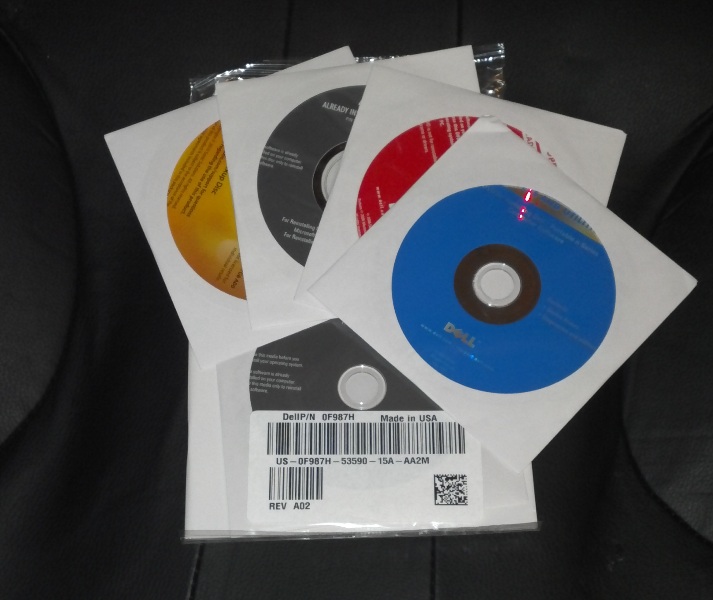
I didn’t really expect a response, but I got a personal confirmation that the discs were being shipped, and a couple of automated updates. Today the discs arrived via Fedex standard overnight. They even included what appears to be the Linux support DVD (the blue one on top that’s labeled “Dell Portable n Series”).

Even these days, not all vendors respond to support requests if you don’t have an active contract or a seven figure corporate account to hang off of… but I gotta give Dell credit for making this semi-fanboy (I probably have at least a dozen Dell machines, laptops and desktops and workstations and a couple of rackmount servers) very happy to be a Dell customer.

Thank you, Dell.

That is all.

My new phone… and the adventure of accessorizing

As the release of the latest famous Cupertino phone approaches, I thought I would share some thoughts about my latest phone and the adventure of accessorizing it. If anyone’s concerned, I bought these on my own, with the Disney corporate discounts, but paid out of my pocket.

Just before a weekend trip to Walt Disney World, I upgraded from the HTC ThunderBolt 4G to the Motorola DROID BIONIC, the first dual-core LTE phone to come out.  Not long before, I’d added an inductive charging pad and wireless charging back to the Thunderbolt, and I also had the extended battery and desktop dock and car mount for it. I have a bad habit of getting all the accessories I might need, and then one or two, so I’m prepared for any solvable situation. And it means that when I pass the phone down to my significant other, she’s more than prepared for anything she’ll run into.

So I got the extended battery (half price on Verizon promo) and screen protectors for the BIONIC, since the car mount, wireless charging door, and webtop adapter were not in stock at my Verizon store yet. My rep at the Santa Clara store ordered the Verizon-branded car mount and the wireless charging door for me, and I ordered the webtop adapter later that day from home. My weekend in Lake Buena Vista had me with two batteries and their backs, and that’s it.

Verizon coverage is pretty good all around Disney World, for voice, text, and data. Sure, there are weak spots, but my connectivity was useful nearly everywhere I went. Even so, I saw about 4 hours of life on the standard battery and 8 hours of life on the extended battery, with 4G and GPS turned on, WiFi off, Wireless Hotspot service only while plugged into the charger. I broke a personal record (and an all-my-friends record) on Foursquare with my checkin activity (7-day max of 574), so I was making some use of the device. Usual sitting-in-pocket activity levels would have resulted in longer life, but I knew what I was doing.

The best accessory I could get, other than the extended battery (which seems less imposing than the Thunderbolt extended battery), is the Juice Defender app. It manages the data network based on your activity and settings, turning off the data service (3G/4G/1X) when idle and using less power. This ended up giving me about 1.71x battery life, and in fact the last day in Florida I had the standard battery in and was surprised to get almost 7 hours on it in the intermittent coverage of rural southern Florida.

I got the car mount, and soon discovered that there are two different car mounts available: Verizon-cobranded and Motorola branded.

Verizon sells their branded version with the Motorola and Verizon names on the front. Motorola’s direct version doesn’t mention Verizon as I recall, and it’s a different packaging design. They both come with the plastic disk for attaching the window-mount to a dashboard location, an innovative and long overdue mount design that lets you leave your extended battery or wireless charging door on while inserting it in the car mount (Thunderbolt car mount barely worked with the wireless door and didn’t even try with the extended battery), a micro-USB jack on the back for the charging cable, and an audio cable to connect the phone to the aux input on your car stereo.

The difference is twofold: First, the Motorola Vehicle Navigation Dock comes with a dual-USB car lighter charging adapter. Second, the Motorola version includes the custom cable that routes audio out the USB connector to your car stereo aux input. With the Verizon version, there’s no charging adapter, and you have to hook your audio jack to the phone’s headphone jack directly.

I read on various blogs that you could hound Motorola and they would likely send you the custom cable, or Verizon might do that, but I decided to send back the Verizon one (barely within the return period) and get the Motorola one. Amazon has it for about $54 (see previous link) and Fry’s had it in stock for $60. I got the wireless sales guy at Fry’s to go up the ladder and find one for me, so I could make sure it was right before sending the other one back. It worked, so the other one went back.

As with all of the DROID phones I’ve used (OG DROID, DROID X, DROID 2, HTC Thunderbolt, and now DROID BIONIC), the car mount has a magnet that sets off the vehicle dock mode on the phone (when the phone is seated properly). This gives you large, easy-to-find buttons for some basic functions like navigation, voice search, and user-specified actions (I have Gas Buddy and Foursquare added to mine). There’s an insert that makes the standard and inductive charging doors work, and if you remove the insert, the extended battery fits nicely. There’s a little clip on the top that holds the phone in place.

The wireless charging door works fine, although the Energizer Qi charger I got didn’t handle the Thunderbolt and the BIONIC at the same time. The Qi may be faulty, as I got it used at a thrift store, but it seems okay with one phone. The other inductive charger is on my desk at work, and works fine as well. Wireless/inductive charging is very convenient, especially if your phone is going to sit on an open space on your desk anyway. And between this and the car dock, you have no excuse for an uncharged phone on a regular basis.

The Webtop Adapter plugs into the Micro-HDMI and Micro-USB connectors on the phone, and sets off the “Webtop Experience.” You can mirror your display to an HDMI display, i.e. a television or computer monitor, or you can set the external display as primary, and the phone becomes a touchpad keyboard/mouse. You can also connect a Bluetooth keyboard/mouse to it in lieu of the touchpad mode, and have a netbook-type experience with your phone (including a full version of Firefox browser).

Without the Webtop Adapter you can still use HDMI display; I haven’t done this much but I think you need the Webtop Adapter (or HD Dock) to get the laptoppy experience. You can also drop $300 on the Lapdock to get laptoppy experience, and believe me, that’s tempting. If you’ve seen the Atrix at Fry’s you get the general idea.

I haven’t had much use for the Webtop yet, but I have the cable at work so I can use it there if I need to.

So that’s what I’ve come up with so far on this device. I’m loving it, and I enjoyed hearing the 4S announcement and seeing that my friends with iPhones are almost catching up to my last phone. Something to be said for 20mbps+ connectivity consistently on a phone.

So what accessories do you need for a new phone? How do you feel about the laptoppy modes that some laptops offer? And are you really going out dressed like that?

Aside: Amazon is allowing California affiliates again, as a result of a one year reprieve on an earlier California bill that would have put some new constraints on businesses with referrers in California. Geno Prussakov of AM Navigator has a good article covering the details of this process, and some good links out to other resources. Take a look if you’re curious. I’ll be putting some Amazon links in some upcoming posts, trying to bolster my toy budget, and the AStore link on the right is valid again.

Cheap Gigabit Ethernet Switch – Woohoo

I picked up an insanely cheap Gigabit Ethernet switch this weekend on a junkshop run with a new coworker and an old friend.

It’s a 3com 3C16486 Baseline Switch 2848-SFP Plus that features 48 1000Base-TX ports, four of which are split-personality with SFP module bays alongside the TX ports. It’s web-manageable, for some value of web-manageable, has cable diagnostics built in, and I bought it for far less than I spend on retail brewed coffee in the average month (somewhere between the cost of a Linksys 5 port and Linksys 8 port gigabit switch).

Yes, it’s discontinued, but so are most of my home computing items. I probably have a 3 foot stack of black-and-blue Linksys gear, some pre-Cisco and some post-Cisco. I just figured if I ever get around to building my home lab up, a switch that can do link aggregation and snmp would be good. And it will probably go in an enclosed rack anyway, maybe even in the patio closet.

Anyway, first thing I do when I get a piece of gear, after inspecting and resetting any configuration, is to find the latest firmware and flash it. This wasn’t the easiest thing to do; I found some update pages that offered me the Discovery utility and the firmware update if I just linked a support contract to my 3com web account.

Some creative googling found earlier links on 3com’s site, pointing toward their FTP site which had outdated versions that were older than my current version. A bit of further searching found an earlier version of the Updates page which gave me a newer version of the firmware, v1.0.3.3.

Turns out the default/post-reset IP address is on a sticker on the switch, according to the Users Guide, so I didn’t need the Discovery utility, which I had found at a similar link. Just as good, as it did not seem to run on Windows 7 even in “Windows 95” compatibility mode.

So I plugged my Windows 7 laptop (32-bit) into the switch, used a 169.254 address to hit the switch, and tried uploading the new firmware. It kept losing connectivity to the switch, then the http session would fail as if it timed out, then pings would come back and I could get back to the failsafe screen and start over.

I found a German page that told me to use IE. I had thought of that, but I rebooted Windows 7 (with new AV, which I had tried turning off along with the firewall), loaded IE, and got the same behavior.

I can’t really say why, but going back to Windows XP on an older laptop and running Internet Explorer to do the upload made the upgrade work. I’m now up and running with a nice 48-port switch that is overkill for anything I might want to do, and I have a good reason to keep that XP machine handy in the future.

Next step is to see if I can find another one or two of them for the same price… although I should also mess with the Cisco 1711 I got with analog module… why did I do that? Oh yeah, it might take the DSL module.


Afterthought (2/15/11): I went back and grabbed the other two that were available. One came with a 3com-blessed SX SFP module. Not too bad.