
How to avoid Funky Town – pet peeves on ‘sudo echo’ and pipelines #rsts11

I was reading about a Raspberry Pi supercomputer design at University of Southampton. Pretty cool stuff, but something bugged me about one of the later sections. it’s something that bites me sometimes when I’m trying to be good and use ‘sudo’ instead of ‘su’ or logging in as root.

For those of you who may not remember, ‘sudo‘ is a command that gives you some or all of the privileges of another user (often root, but not limited to that user). A sysadmin can define certain commands, options, and users that each user can “take over,” as it were. But I would guess most readers of this blog generally use ‘sudo’ to execute a command as root, or worse, to become root with ‘sudo su –

So what’s your bucket, Robert?

But anyway, Southampton’s document specifies the following command invocations to edit a system config file.

Hostname Script

If you want to rename each machine, you can do it from the Master node using:

ssh pi@192.168.1.162 ‘sudo echo “iridispi002” | sudo tee /etc/hostname’

ssh pi@192.168.1.163 ‘sudo echo “iridispi003” | sudo tee /etc/hostname’

ssh pi@192.168.1.164 ‘sudo echo “iridispi004” | sudo tee /etc/hostname’

There’s a very good reason for part of that — the ‘pi’ user cannot edit files in /etc. So what you might do as root:

ssh root@192.168.1.162 echo  iridispi002 > /etc/hostname

would fail if run as a non root account.

The eagle-eyed among you will want to write in and mention that the command above would replace /etc/hostname on the local system *after* sshing to 192.168.1.162, and you’d be right, assuming you run it as root on the local system. The way around that would be

ssh root@192.168.1.162 'echo iridispi002 > /etc/hostname'

But as a non-root user, you have to escalate your privilege to change most system config files. The suggested command:

ssh pi@192.168.1.162 'sudo echo "iridispi002" | sudo tee /etc/hostname'

is excessive for one reason.

echo‘ is not a privileged command. There is no reason to ‘sudo echo‘ — at least not that I can think of. It will not take you to Funkytown (even if you are more of a Lipps, Inc fan)

This won’t break anything, but it does execute another potentially auditable command, write another line to the sudo log file, and get you into a suboptimal habit. 

Instead,

ssh pi@192.168.1.162 'echo iridispi002 | sudo tee /etc/hostname'

would do just what we want.

Tell me about this “tee” command

tee,’ by the way, is a command that takes standard input (STDIN), writes it both to standard output (STDOUT) *and* the filename specified as a parameter. Note that tee will create a file if it doesn’t already exist, and overwrite it if it does. If you want to append to an existing file, use something like ‘tee -a <filename>‘ … for example, this will propagate your hosts file with hostnames for a popular RFC1918 subnet:

for h in $(seq 1 255);
do
      echo 192.168.1.$h host$h.mydomain host$h |\
      tee -a /etc/hosts
done

There are other ways to execute non-privileged commands and use the output to affect priviliged files. One way is to use ‘dd‘ to pass data through. For example, creating a bootable USB drive in Linux from a boot image could be done with:

dd if=ubuntugolden.img | sudo dd of=/dev/sdf1

But note that dd doesn’t protect you from yourself, so check that command before you wreck it.

So where do we go from here?

If you’re going to keep to minimal privilege escalation, which is the Right Thing(tm) to do, even if it’s inconvenient… think about what you’re using sudo for, and keep it between the navigational beacons.

And by the way, am I the only one who thinks of Robotech when I use the sixth scsi device? Probably not the best way to party like it’s 1999.
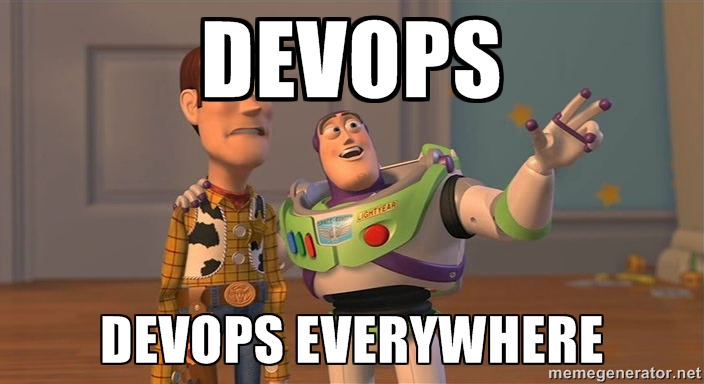
Pope Francis and Devops – On Further Genuflection

devops-everywhere

I have long been uncomfortable with the branding of “devops” in what used to be the world of system administration. It’s becoming almost as dynamic and imprecise as the F-word is (just two more parts of speech to go, i think), up there with “cloud” even (someone out there must be proud).

Matt Simmons had a good write-up on his blog about what he called the “worst ideas of the [devops] movement” and I have to agree with his take on that whole matter (except his misspelling of sherbet, which I’m told is now an accepted spelling).

We practicitioners in the sysadmin world are surrounded by marketers, headhunters, and opportunistic writers who latch onto different flavors of the Devops concept. People outside our sphere see the buzz and the branding from us and from this border element as well. When those of us doing the work can’t agree on a message that is clear and accurate without being exclusionary, we do more harm than good.

But this morning, I figured out the core of my objection, while being berated on Twitter by someone who could be considered one of the “high priests” of Devops. What bugs me is the “organized religion” nature of Devops.

nobody-expects-devops

I don’t need people who say “either you’re [a] Devops or your dumb[sic].” I don’t want to trick people into Devopsing. And I don’t feel the need to tie any particular buzzword or brand identity into everything interesting and useful in my industry or profession.

What does Pope Francis have to do with all of this? Well, recently he’s been talking about deeds and actions, rather than branding and dogma, and going a bit gentler than his predecessors on people who are conscientious but not Catholic. My take on that is that it doesn’t devalue the good works and good conscience of a Catholic to acknowledge that you can have good works and a good conscience without being Catholic.

spidey-devops

Now imagine if you could play well with others in a technology setting, be a good sysadmin, and build scalable and sustainable environments… even without calling them, yourself, your department, or your religion Devops. (ps: it’s easy if you try; I was doing that at the turn of the century, although I wouldn’t even label that as hipster devops.)

And imagine if you could acknowledge others doing the same, without having to staple the Devops label on them. It’s true, you’ll risk losing the people who have bought into the upper-case D branding, or people whose managers say “we have to be Devops, take a few devopses and go devops at that devops conference.” You may also confuse HR people who are under fire to hire X number of devopses. But the profession and your environment probably won’t suffer.

If you have to brand, or rebrand, your personal practice for your own reason, go ahead and do it. It’s your business card, after all. But if you feel that building scalable and sustainable environments, working well with your coworkers, and being a good sysadmin require a brand label that is inconsistently defined at best, well, you’ve lost me, and probably at least a few other sysadmins.

Disclaimer: I used to be Catholic, still believe in the one true spelling of sherbet, and claim fair use on the Toy Story picture above, which obviously is not owned by me.

Cisco Live and VMworld: Two first times compared

This was a year of many firsts for me, including four conferences I attended for the first time: Interop Las Vegas, Cisco Live, Nth Symposium, and VMworld. This is a long one, but I wanted to share my comparison and suggestions for future events.

Disclosure: I received support from Tech Field Day, HP Storage, and VMware in attending these events. I was a delegate to roundtables with Tech Field Day at all but Nth, and a HP Tech Day delegate at Nth. None of these sponsors were promised any special consideration in my coverage (or lack thereof) of the events, nor was I compensated for any participation in or around their events.

0. Overview

Both Cisco Live US and VMworld US were huge affairs, effectively a full week with 20k+ attendees, keynotes, breakout sessions, noticeable social media engagement, and all the challenges that come with housing, feeding, entertaining, and educating a large crowd, not to mention navigating that crowd.

Cisco Live was at the Orange County Convention Center in Orlando, Florida. About a dozen official Convention Hotels were within a few blocks of the convention center.

VMworld was at the three buildings of the Moscone Center, and conference facilities in two or three nearby hotels as I recall. Attendees had choices of hotels within a mile of the conference center.

Continue reading

Event thoughts and event hygiene pre-VMworld

Tomorrow I’ll be in San Francisco for the pre-event festivities of VMworld 2013.

I have a couple of thoughts/observations my prep for this event, and my adventures to Interop Las Vegas, Cisco Live, and Nth Symposium this “summer.”

I’d welcome your feedback and other suggestions… maybe this will all end up in front of the right eyes.

And maybe people planning other similar events can take this advice and at least think about it over a scotch on the rocks next weekend.

Make Scheduling Easier

I think the Cisco Live and VMworld scheduler sites are the same back-end. However, as I pointed out when I first tuned into Schedule Builder, VMworld’s schedule is far more limited in usefulness.

Admittedly, Cisco Live didn’t give 5 minute granularity for scheduling, which has to be useful for people who want to attend 15 minutes of each presentation. But I can live without that granularity.

What I find more difficult to deal with is the inability to schedule after-hours “personal time” to keep track of social and vendor events. Sure, I can load everything into Google Calendar or Outlook, but then if I change things in the Schedule Builder, it’s a manual resync or I miss something.

As a bonus option, it would be great if vendors could get unlisted codes for their events, so instead of manually adding, say, VMware Customer Event, I could put in 9EVT2039 or something and have the details populate. Password-protect if you want, so people can’t randomly find the events as easily, but it’d be nice to make the scheduling and planning as uneventful (heh) as possible.

Manage Scanner Pouncing, or, I just want free stuff

I try to manage my badge scanning. I know I’m going to get a year or five of random untargeted emails from most companies that scan my badge, and while the free iPad you’re giving away would be a nice late birthday present for my fiancee at home, you’re not going to note on the contact form on your scanner that I’m not really interested in your call management system considering my job is running Hadoop clusters.

I’d love to have two scan codes… one for “yes, I want to hear more about your products,” and one for “no, I’m not interested in your products, but I’d like to be entered in your giveaway so you don’t stalk me everytime I walk by.”

I’d love a third one for “my employer spent 7 figures with you already this year, but thanks for asking” (I’d use that one a few times most likely, even if I’m not wearing my mouse ears) and maybe a fourth one for “I’ve had dinner with your CEO and I suggested that new feature you’re touting between the fourth and fifth scotches” but then the name badges would get really crowded. And Hans would probably only scan that last one all week.

Don’t Be That Idiot, or, control your devices

I have probably tweeted about this during conferences dozens of times already this year… and it would be really great if presenters and organizers would help remind the less considerate/professional in the crowd…

We’re not here to hear your cell phone, pager, IM tone, etc… or to see the presenter/musical guest/keynoter through your iPad.

Before your session begins, set your mobile devices to silent, or vibrate only if they’re not sitting on a table or other noise-amplifying surface.

If you’re expecting a call that you absolutely have to take, sit near the door. And don’t take a call until you have left the room. If we needed to be on the call, they’d have called us too, right?

And as much as you want to share the experience with all your Instagram/Facebook/Vine/blog followers–you don’t need to block the view of people behind you by holding your iPad up pretending you’re a videographer. If your iPad wasn’t in the way, we could still see the speakers/performers, so you’re not doing anyone a favor. . Just don’t do it. Put the iPad away and enjoy the show. 

This is what it ends up looking like, and we don’t want this .

Speaking of hygiene…

I’ve often thought someone like Right Guard or Axe should be a sponsor for job fairs, expo floors, etc. There are always people who don’t bathe/shower/change clothes, and people who thought the TSA 3oz figure was a suggestion for daily cologne/perfume use.

Unless you’re trying to snag a Kardashian, you can go easy on the fragrances. Beyond that, wear a clean shirt, and clean up a bit before going into close quarters with other people who’ve hopefully have done the same.

Like the rest of this, it should go without saying, but there always seems to be at least one or two of what a hairstylist friend of mine used to call “the peanut butter people.” As in warm peanut butter fragrance. Not becoming, I tell you.

So where do we go from here?

If you’re a presenter or organizer, consider finding some slightly more filtered way to encourage people in your events to silence their mobile devices.

If you’re a professional human attending an event, learn how to set your devices (laptops, tablets, phones, pagers, Tamagotchi, etc) to silent mode. Set your devices to silent mode before the presentation, event, concert, or keynote begins. Identify the nearest exit to you in case you have to take a call. Don’t talk on the phone during a session/lecture (there were people doing this at Cisco Live, seriously). Gently encourage your friends, colleagues, and anyone else who might listen to you to do the same.

If you are at this event just to show off how loud and obnoxious your ringtones, IM notifications, email alerts, and iPad videography can be… well… there’s a Justin Bieber concert for you somewhere. And they’ll love your Cheetah Girls ringtone.

What suggestions do you have for fellow event attendees? Feel free to share in the comments.

Oh, and GET OFF MY LAWN. 🙂

Traveling with too much stuff?

I’ve been traveling a lot this spring/summer. There are a couple of things I’ve come up with that really help me travel more efficiently, or make the most of overpacking at least.

If you have tricks of the travel trade to add to this list, please join in on the comments below.

Too Much Stuff To Take?

Planning to buy more souvenirs than your suitcase will hold?

If you’re traveling light on the way, get nested suitcases and pack for the trip in the smaller one. This probably only works if you get free checked bags, or if you don’t mind the $50-75 extra charge, but it depends on what you’re buying.

Whether you’re traveling light or heavy, get a couple of flat rate shipping boxes from your US Post Office, and buy the postage in advance (you can print a label with postage at usps.com for a discounted rate off “retail”). Then when you’re packing up to go home, put the souvenirs in the flat rate boxes and leave them at the resort front desk for mailing back. You’ll wait a couple of days for delivery, but it’s better than dragging all those coffee mugs and other heavy or bulky items home.

(Drop) Ship It!

The Priority Mail trick also works if you want to ship something there. I once sent my brother’s and my niece’s birthday presents to Disney’s Wilderness Lodge Resort 3 days in advance of my trip, so I wouldn’t forget them and wouldn’t have to pack them and risk over-weight fees on my luggage (a few meals at Whispering Canyon and Boma and I had to risk over-weight fees on myself, of course).

Another space saver that I recommend if you can plan ahead and/or have Amazon Prime. You can have Amazon (and probably many other web retailers for that matter) ship to a third party address. So if you need things like coffee, diapers, non-perishable food items, clothing, a new laptop, etc…, you can order them online to be shipped to your hotel.

Create a new ship-to address and put “Guest Arriving X/X” on one of the address lines, and check with the front desk when Amazon notifies you of delivery.

Suck it up!

You probably won’t take a vacuum cleaner with you, but Space Bags, or their poor cousins zipper bags, are great for compressing clothing and waterproofing your non-wet stuff if your swimsuit, bath puffs, etc don’t dry before you leave.

I found that the genuine Space Bags roll-up varieties, the ones you don’t need a vacuum for, tended to last 2 or 3 trips before they died. So I started cheaping out and getting 2.5 gallon Ziploc brand zipper bags. They now have even larger ones that can be used to pack pillows, blankets, snowmobile suits, whatever you need to get the air out of.

Trade Shows Sometimes Give Away Shirts

I usually forget about this until I get an entire jumbo messenger bag full of tee shirts, but if you’re going to a trade show or technical convention, you’re probably going to be offered more tee shirts than you can use. If you can get away with wearing tee shirts at the event, you can probably get by with one or two shirts.

And if it doesn’t offend your sensibilities, you can save some space on the way home by getting shirts in a size for the smaller life forms at home.

Disposable What?

This isn’t always green, but if nobody on your trip is going to be seeing your underwear or bath puffs or socks, you can take the ones your spouse wants you to throw away, wear them one last time, and then throw them away. I tend to do this with bath puffs, since only one of the last dozen hotels I’ve stayed in provides a puff, and that one only did it once.

An alternative, if you can do a quick batch of laundry before taking off, is to donate non-unmentionables to a local thrift shop or charity. Backpacks, bags, and some other trinkets from trade shows can probably find a better home than the box your spouse keeps offering to help you throw away.