
I’m a bit embarrassed to have let rsts11 drift most of the year. For what it’s worth, I’ve dug out some project machines, and I may have acquired one or four in the last couple of months, so I’m planning to bring you some build logs and reports to entertain and edify you heading into the holidays.
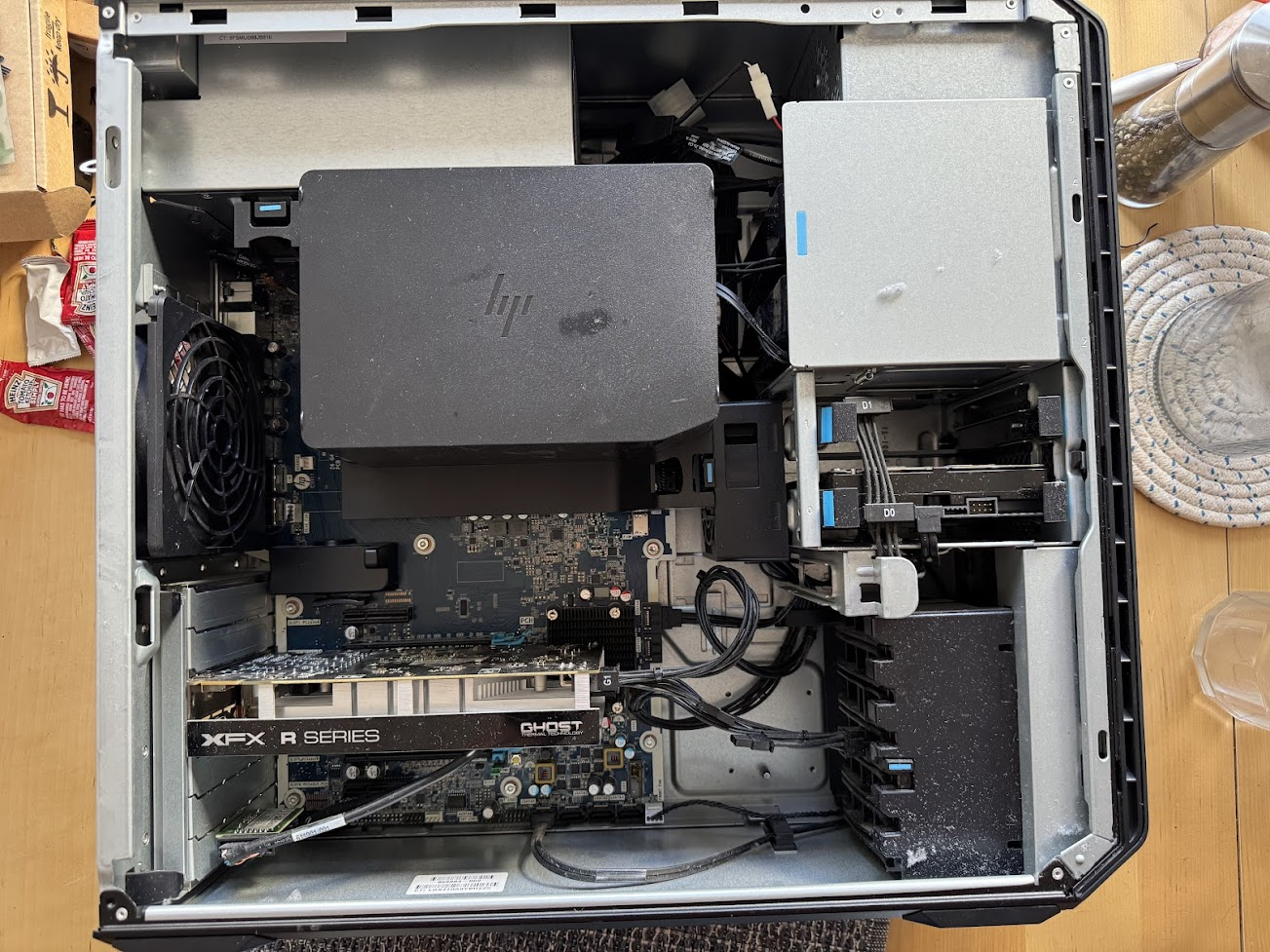
From a ThinkStation M920x one-liter tiny PC that can take a 40 Gigabit Ethernet adapter, to a HP Z6 G4 workstation that a vendor recently called a “real chonker,” I have some fun stuff to review for you. And I’m finally making use of some RTX 3000-series GPUs that have been useless for crypto mining for years.
Wherever possible, I’ll help you find the bits to build or upgrade your own, but in most of these cases (heh) I started with a machine at least partly built up. Check your local marketplaces to see what people are building and selling locally, and you may find an interesting configuration you hadn’t thought of.
Below are teasers of three of the machines I’ll be working on. The Machinist system was purchased locally, while the other two were from eBay.


While you wait, if you’re looking for some essential supplies, here are a few things I keep on hand for my system upgrades. It’s probably a good idea to check your thermal paste and replace your coin cell CMOS batteries on any used computer you buy.
- Corsair TM30 thermal paste. It’s $8, and I have found it locally in Silicon Valley as well as on Amazon. You can spend a lot more, and if you’re getting into the 300W processors maybe you should, but for my needs it’s been fine.
- ArtiClean thermal paste cleaning solution. This combo set is $10, and it’ll probably outlast your thermal paste. Great for cleaning processors, GPUs, heatsinks, etc. An alternative is…
- Noctua Cleaning Wipes ($10 for 20) or Arctic cleaning wipes ($9 for 40). I’ve used the Noctua, and they are convenient, especially if you tend to over-drop the ArtiClean solutions.
- CR2032 coin cell batteries from Energizer (six for $10 or less), Duracell (12 for $15 or less), Tenergy (10 for $6 or less), or Amazon Basics (ten for $10 or less). These are great for small device remotes, car fobs, and other things as well as your computer CMOS batteries. They should have a ten year lifespan if the machine is regularly powered on, and I’m pretty sure I have some machines with older CR2032 cells that still hold their settings. But it’s a good thing to have on hand for all sorts of uses.
You’ll also want to consider some managed air of one sort or another. I have the SPICIMOMO car vacuum/blower ($30 as of this writing), good for sucking dust bunnies out of your computer or just blowing them out of the way. I also have a couple of high-RPM blowers like this OUNIER one ($40 with checkbox coupon as of this writing), and for the computers that come with dust muskrats, I have been known to use a leaf blower ($60 or less, plus a euro-plug adapter at about $5-10) on the machine outside. I would not use a vacuum brush because of the risk of static electricity issues, but a good burst of air can save you some risk of damage or strange smells down the road.
I am not planning to use the Lenovo tiny PC for AI purposes, but I have warmed the other machines up a bit with benchmark tools, the occasional GPU upgrade, and some AI image generation with Stability Matrix from LykosAI. I’m still pondering which machine to replace my Ryzen 5 3600 daily driver (built in spring 2020) with, although in early 2021 I built a Ryzen 7 machine that could do pretty well with a GPU and RAM swap.
What have you built lately, and what are you doing with it? Leave a note in the comments.
 rsts11 - Robert Novak on system administration
Okay, I thought I left a comment already elsewhere, but it hasn’t seemed to have posted. Anyways, this is a weird question, but I’m interested in archiving fan works and there was a duran duran archive hosted on indyramp at one point called The Lovely Blue Planet of There. I was wondering if there was any possible way you still had access to it? I don’t know how servers work and I don’t know how it works with privacy, but I was curious if it was even possible.
Thanks!
LikeLike
Yeah, there.indyramp.com was around for something close to 20 years. Fanlore says it was last updated in 2009, as of 2021.
You can see an archive of it at https://web.archive.org/web/20230604040658/http://there.indyramp.com/ and the latest archive gives submit2there@hotmail.com as a contact email.
I’ll reach out to the owner of that site and see if they have a new location. I think it finally went down during a chronic VPS failure at my provider a year and a half ago.
LikeLike
Thank you! I’ll reach out as well!
LikeLike
No problem. I just poked into the comments system, and it looks like someone posted a very similar question under a different name on my “Indyramp is old enough to drink” post twice, 4 days ago, but WordPress’s spam filters blocked them. 🙂
LikeLike